
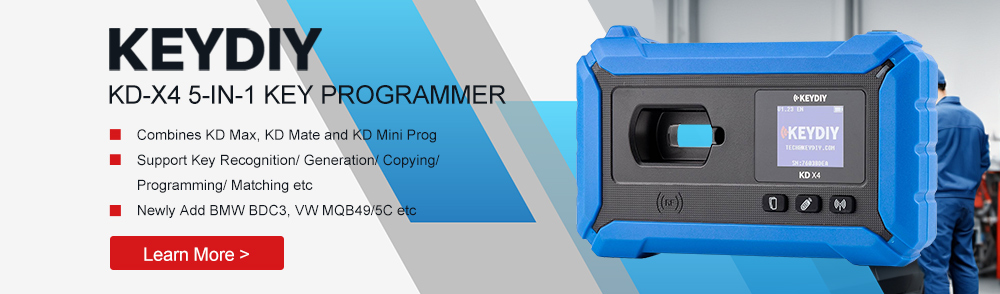
This article summarizes a practical demonstration of disassembling and reading a BMW CAS4 anti-theft module and using that data to program dealer keys with the KEYDIY KD-X4. The process covers both bench-reading the CAS module and preparing files for use with KD-series devices. It’s intended for professional locksmiths and technicians familiar with immobilizer systems and key programming devices.
Tools and Accessories
- KEYDIY KDX4 Device
- OTG wiring harness
- KD-EPA Adapter
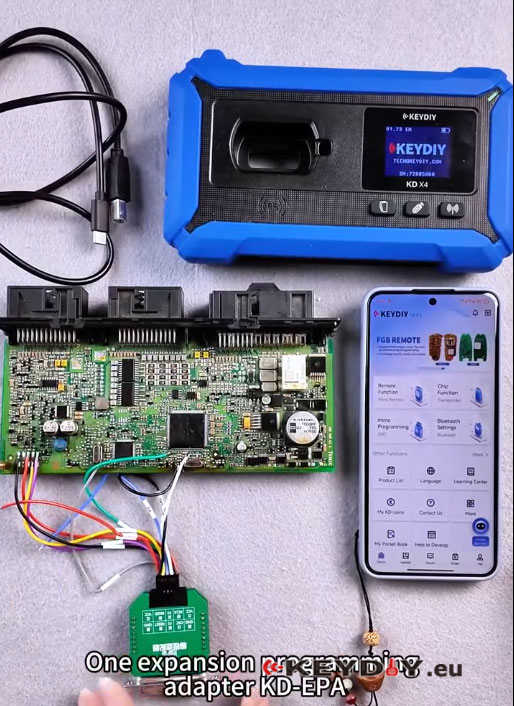
Step-by-Step:
1. Preparation and Safety Notes
- Before beginning, confirm you have the correct CAS4 unit and the necessary adapters.
- The demonstration recommends bench-reading (disassembly) of the CAS for safety and reliability. OBD mode is supported by some tools, but it carries risks—use OBD only if you fully understand those risks.
- Work in a static-free environment and keep track of screws and small parts when disassembling the CAS module.
2. Software Setup and Wiring Diagram
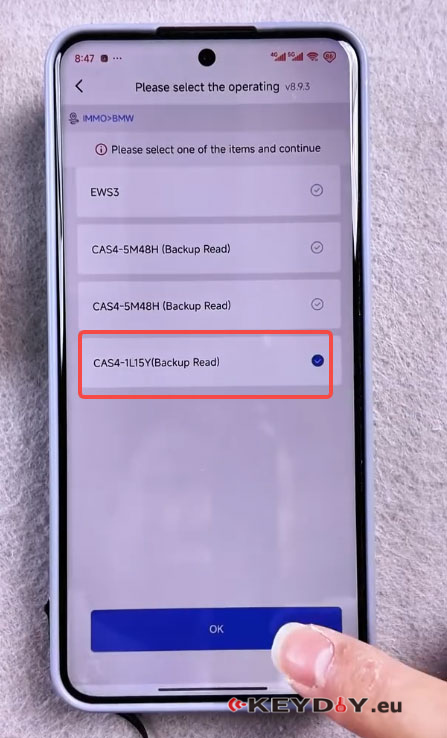
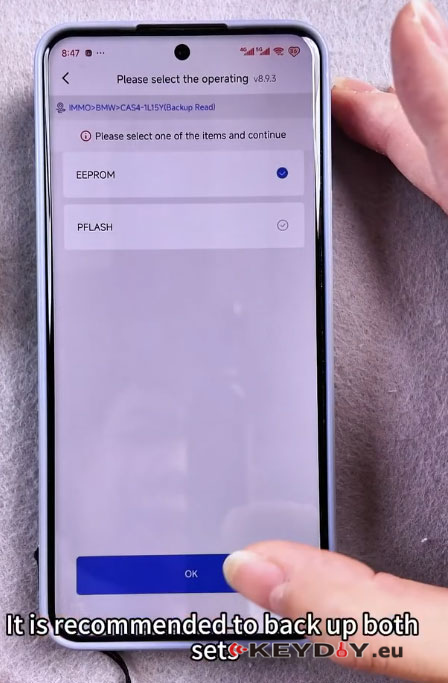
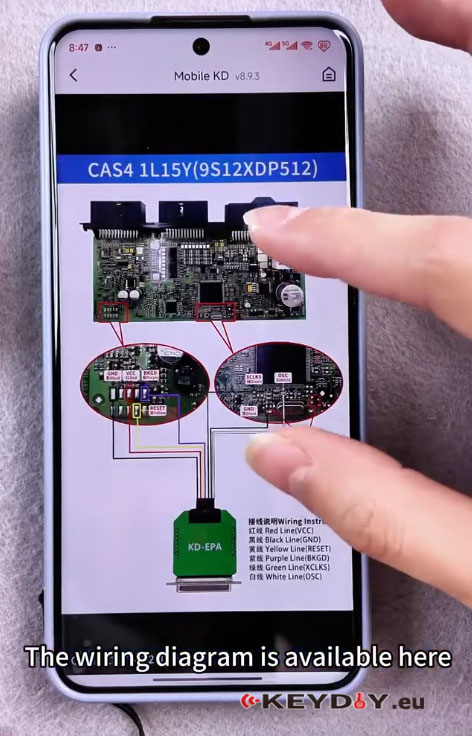
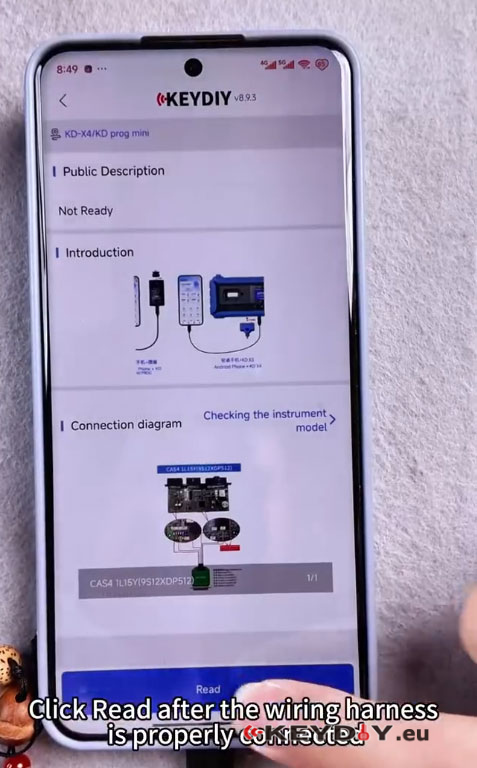
Open the KDX4 device software and go to Immo Programming->KD-X4/KD prog mini->Read file->IMMO->BMW->CAS4-1L15Y->EEPROM, then check wiring diagram.
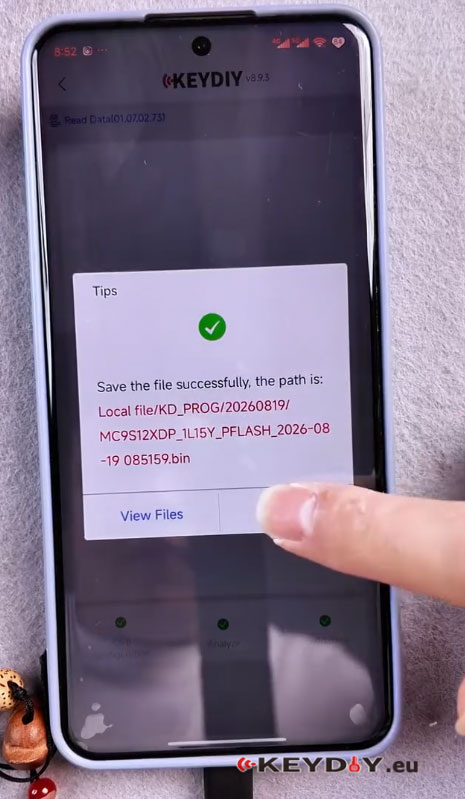
Note: The KD-X4 will detect two sets of data available for backup. Only the first set is strictly required for key programming, but it is strongly recommended to back up both sets to prevent loss and aid recovery if necessary.
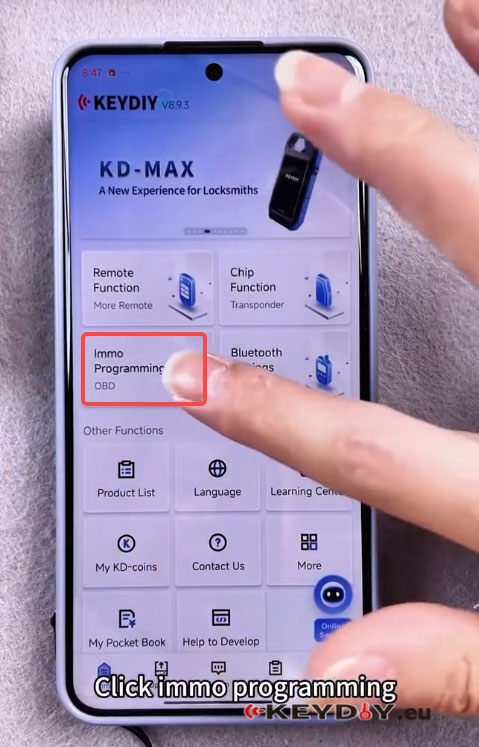
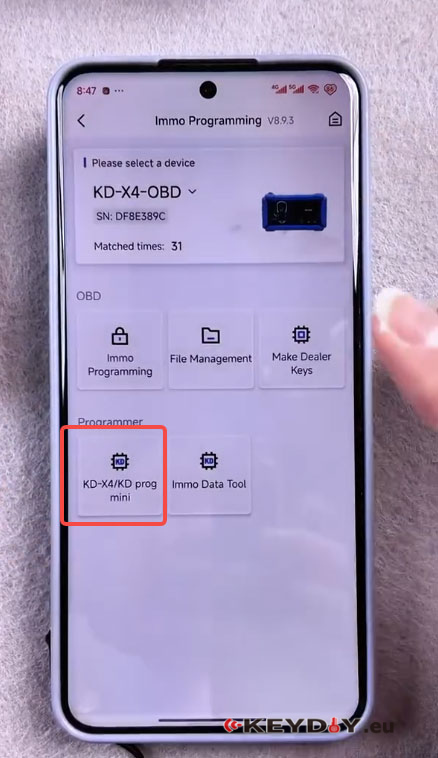
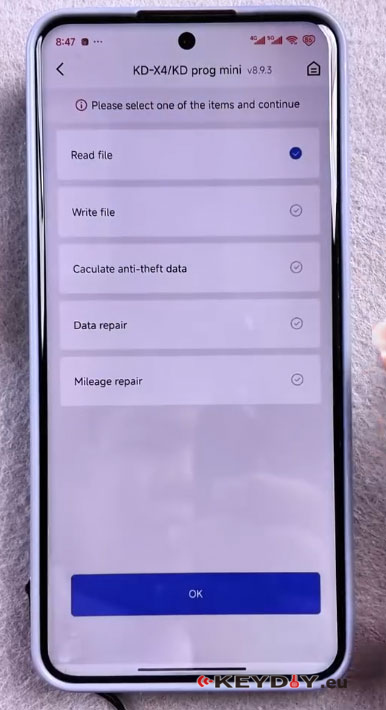
3.Connecting and Reading the CAS Module
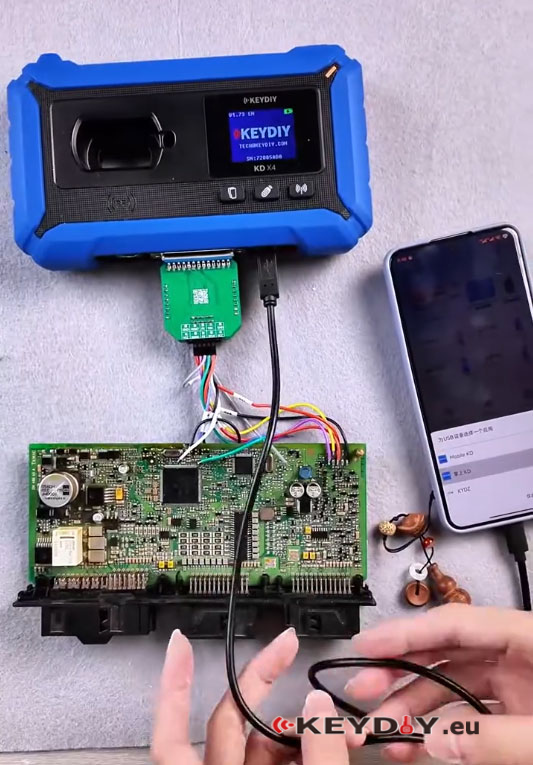
- Connect the OTG wiring harness and the KDEPA expansion adapter as required by the wiring diagram. Ensure secure, correct pin alignment.
- In the software, click the Read button after the harness is connected properly. The device will read the CAS module contents.
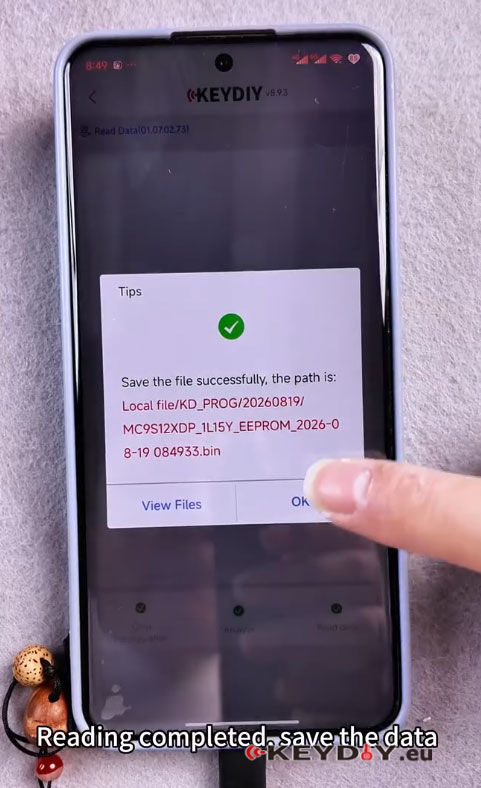
- After each read completes, save the data files. The process can be repeated to read and save the second data set.
4. File Management
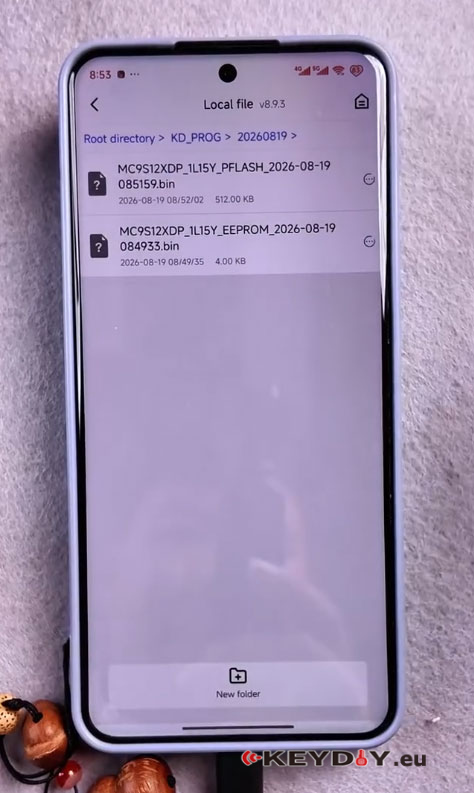
- Return to the matching or programming function interface and open File Management.
- Confirm that the two saved files appear; these are the backups you just created.
- Files can be exported for safekeeping, transferred to other devices, or used directly with KD-series key programmers.
5. Generating Dealer Keys with KD-Series Devices
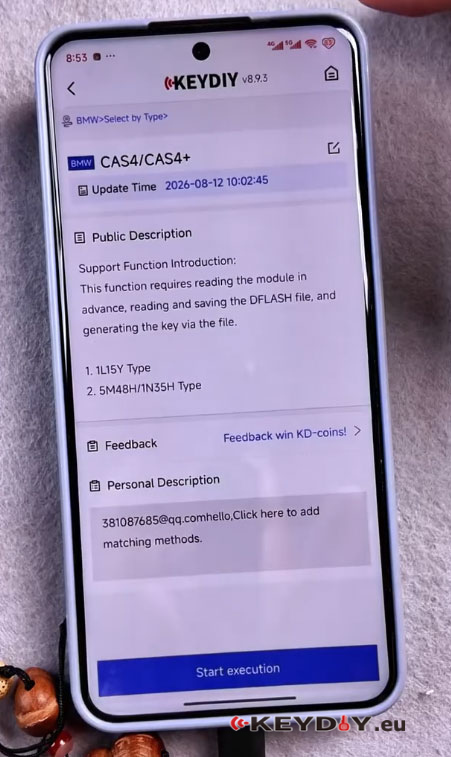
- When using a KD-series device to generate a dealer key, enter the device’s anti-theft matching menu and choose the BMW vehicle model and the appropriate selection method (e.g., select by type).
- Load the previously saved CAS data file(s) into the KD device. The KD device will use this data to generate a dealer key file or token.
- Generate the dealer key according to the KD device prompts and instructions.
6. Key Synchronization (In-Vehicle)
- After generating the dealer key, go to the vehicle with the newly generated key and follow the on-screen matching prompts.
- To synchronize, place the key against the vehicle’s induction coil (typically near the start button or a designated coil location) and let the system complete the pairing process.
- Verify the key’s functionality: immobilizer recognition, engine start, and remote functions if applicable.
Best Practices and Tips
- Always back up both sets of CAS data when available. The second set may be unnecessary for basic key generation but can be vital for recovery or troubleshooting.
- Prefer bench-reading the CAS module to OBD where feasible to reduce risk. If using OBD, ensure you understand the vehicle’s vulnerabilities and the tool’s limitations.
- Keep organized backups and label files with vehicle identifiers and timestamps for future reference.
- Use the latest firmware/software for KDX4 and KD devices to improve compatibility and reliability.
Conclusion Programming keys for BMW CAS4 modules with the KEYDIY KDX4 Programmer is a straightforward process when you follow the correct steps: confirm wiring and chip type, read and save both CAS data sets, manage and export files, generate dealer keys with a KD-series programmer, and synchronize the key in the vehicle using the induction coil. Adhering to recommended precautions—especially backing up both data sets and preferring bench reads—will reduce risk and increase the chance of a successful key programming outcome.
