
If the keyless entry distance needs to be adjusted, use the KEYDIY PAK01-TIB Phone as Key to fine-tune the Bluetooth control range with the Smart Calibration function.
Check the Keyless Entry Function
The phone has already been programmed as a key. First, check that the app can lock and unlock the vehicle normally.
- Open the app and test the lock and unlock functions.
- Confirm both functions work normally.
- Place the phone as the key device in the armrest box before calibration.
Run Smart Calibration
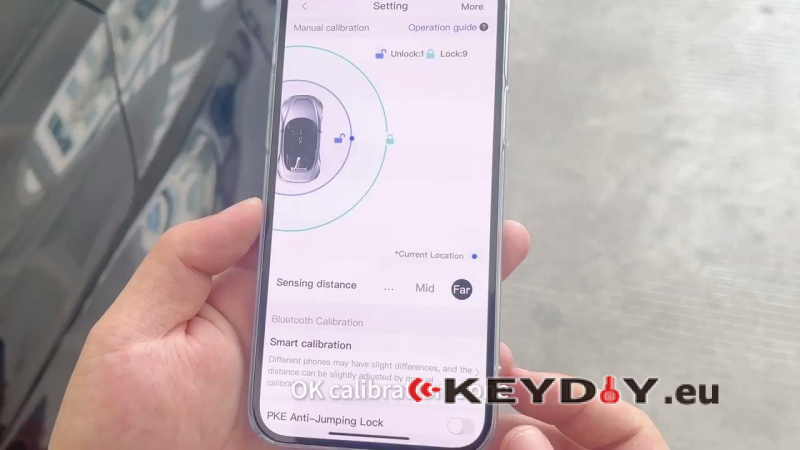
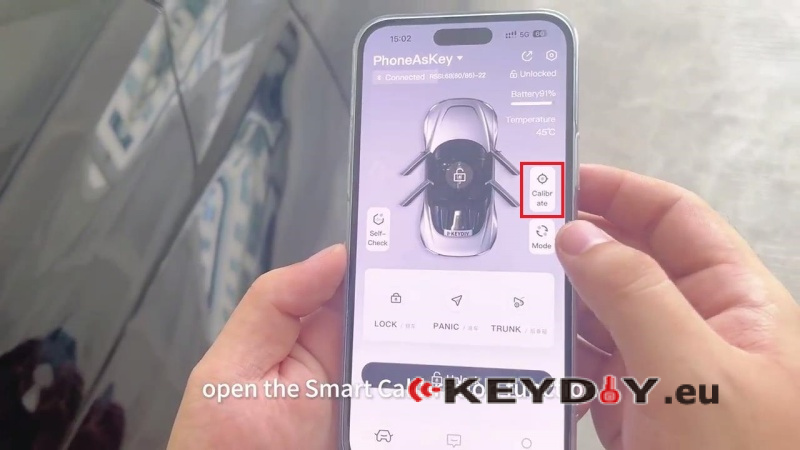
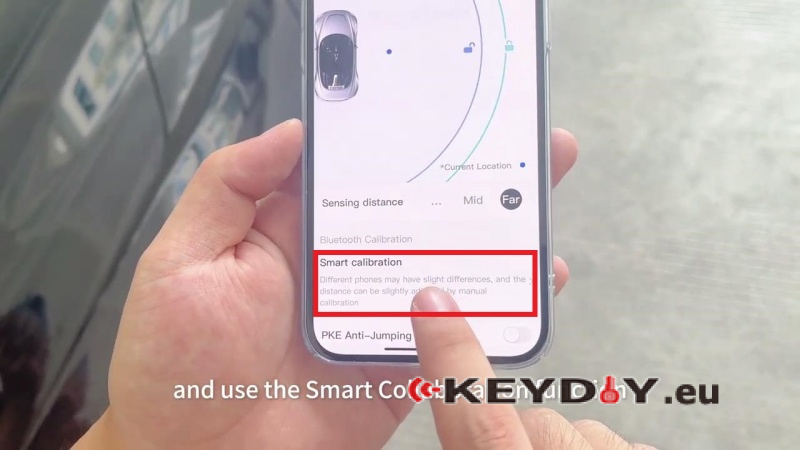
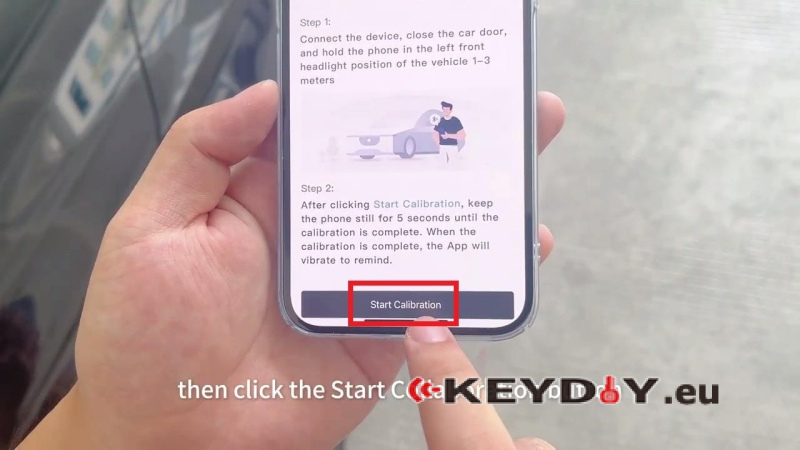
Open Calibrate > Smart Calibration in the app.
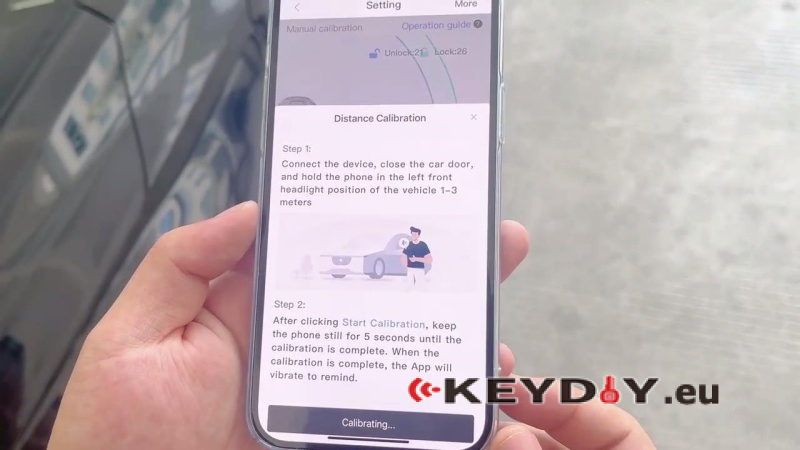
- Connect the device, close the vehicle door, and hold the phone at the left front headlight position, 1–3 meters from the vehicle.
- Tap Start Calibrationand keep the phone still for 5 seconds.
- Wait for the calibration to finish. The app vibrates when calibration is complete.
Verify Keyless Entry
Lock the vehicle, then use the PAK01-TIB Phone As Key to unlock it and verify that the keyless entry function works properly.
Post Views: 172
