

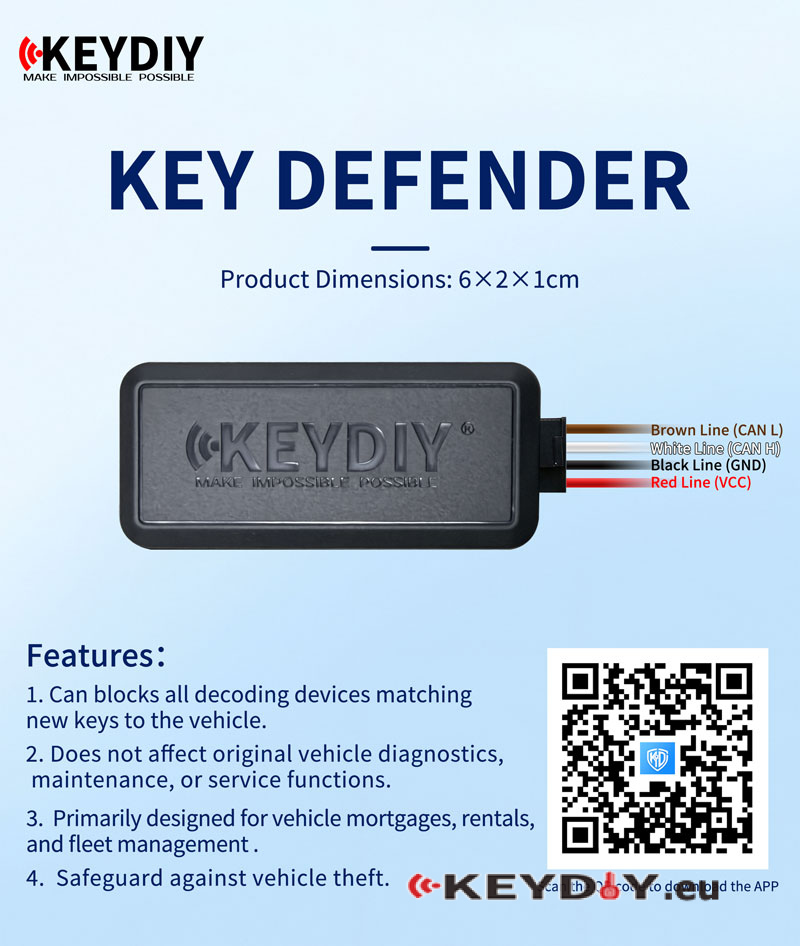
A stolen car key isn’t the only way a vehicle can be stolen — unauthorized key programming through the OBD port can also pose a security risk. KEYDIY key Defender helps stop unauthorized key programming, giving vehicle owners, rental businesses, and fleet managers greater control over who can add new keys. Activate protection from your phone while keeping factory diagnostics and maintenance functions available.
Keep Unauthorized Key Programming Out
- Block New Key Programming:Prevent external devices from programming new keys through the OBD port while protection is enabled.
- Control Protection from Your Phone:Enable or disable protection through the companion app whenever needed.
- Keep Essential Vehicle Functions Available:Factory diagnostics, maintenance, and service functions remain unaffected.
- Built for Vehicle Management:An added layer of security for financed vehicles, rental fleets, and company vehicles.
How It Works
Key Defender controls access to OBD-based key programming.
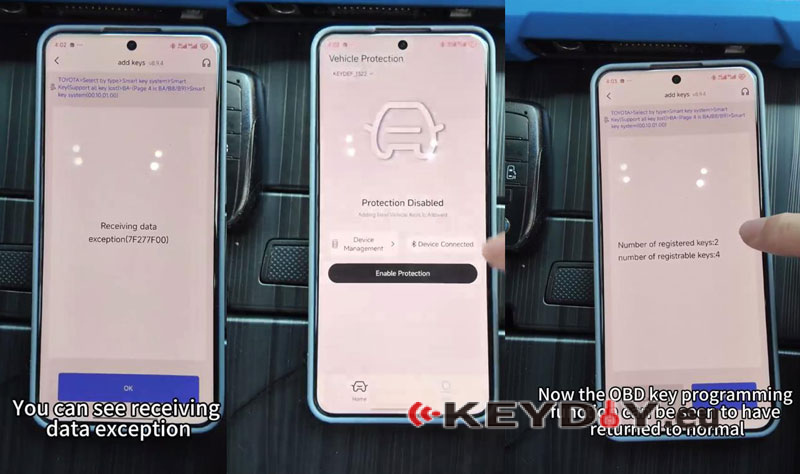
- Protection enabled:External devices cannot program new keys through the OBD port. A programming attempt may return the error Receiving data exception (7F277F00).
- Protection disabled: Normal OBD key programming is allowed again.
Installation & Setup
- Connect the Wiring
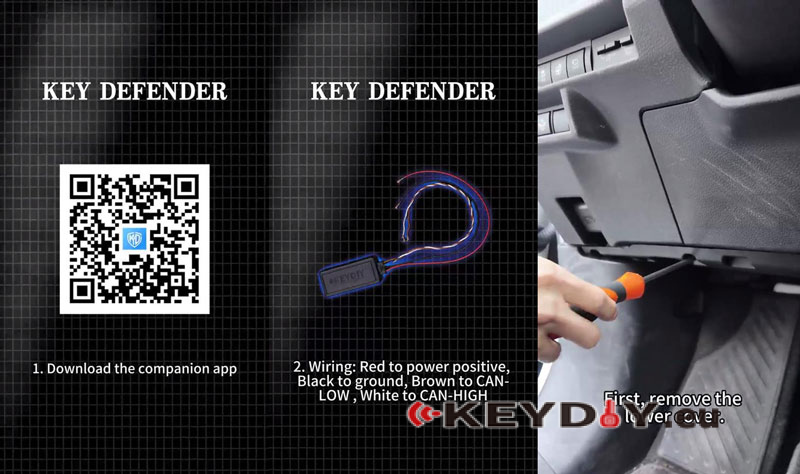
Download the companion app. Remove the lower cover and use a multimeter to identify the correct vehicle harness. Connect the wires according to the table below, then conceal the unit and harness.
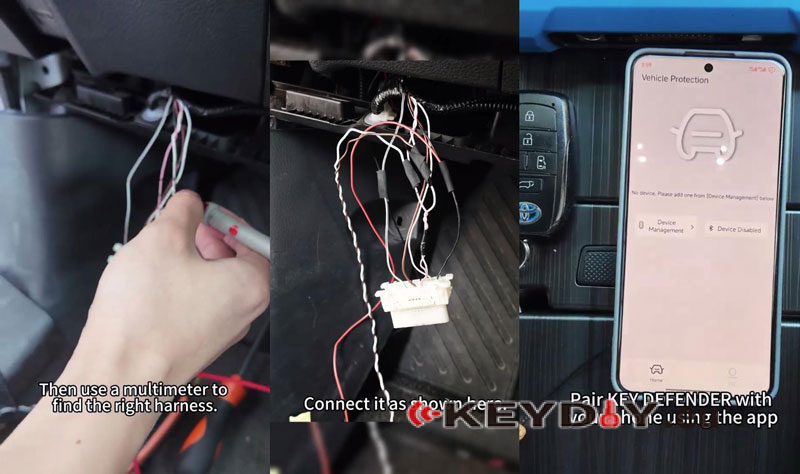
- Pair the Device
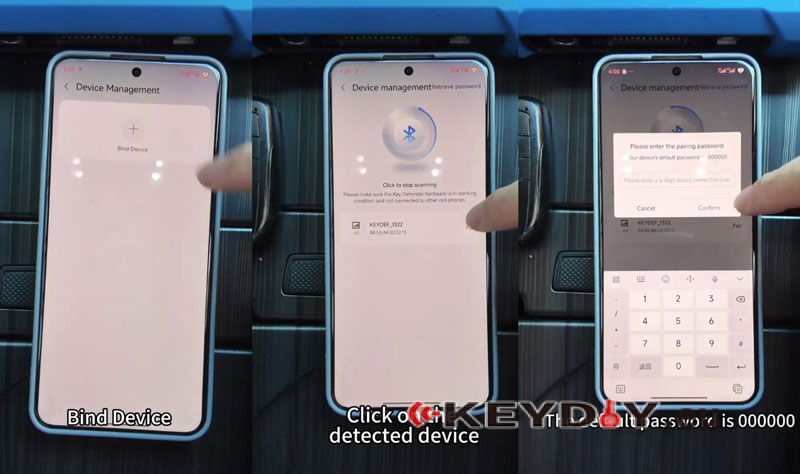
Open the app and follow:
Device Management >> Bind Device >> Click to start scanning >> Click on the detected device
Enter the default password 000000 and confirm to complete Bluetooth pairing and binding.
- Set Up Protection
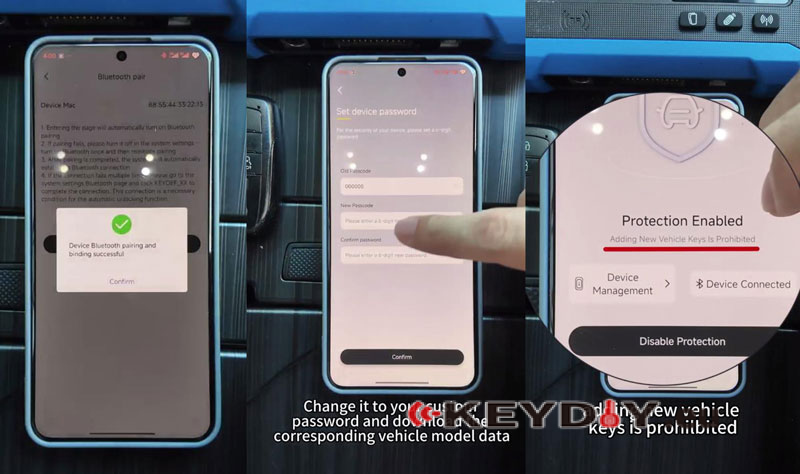
Change the default password, download the corresponding vehicle model data, then select Enable Protection and confirm.
To allow key programming again, disable protection through the app.
Technical Appendix
Product Specifications
| Item | Details |
| Product | KEYDIY KEY DEFENDER |
| Dimensions | 6 × 2 × 1 cm |
| Connectivity | Bluetooth |
| Control | Companion mobile app |
Wiring Reference
| Wire Color | Connection |
| Red | VCC — power positive |
| Black | GND — ground |
| Brown | CAN-L — CAN Low |
| White | CAN-H — CAN High |
Setup Requirements
- Companion app and Bluetooth pairing
- Device binding and a custom password
- Corresponding vehicle model data downloaded through the app
- Correct vehicle harness and wiring connections
Compatibility Note: Confirm vehicle compatibility and the correct wiring points before installation.
Want to add another layer of protection to your vehicles? Contact us for KEYDIY KEY DEFENDER availability and compatibility details.
