
This article answers the most frequently asked questions about KEYDIY, including real name authentication, KD-coins, wallet recharge, and function activation.
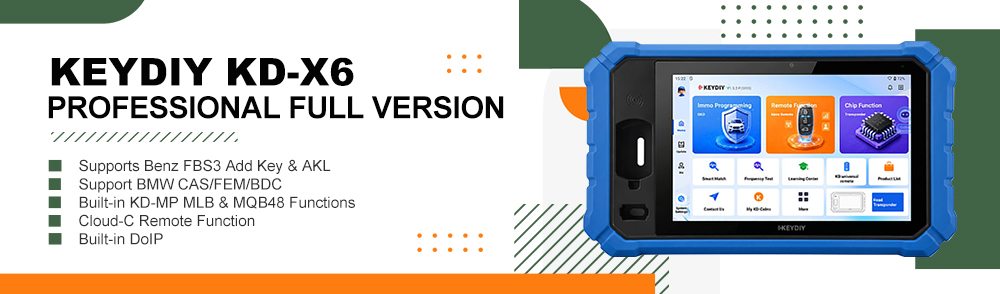
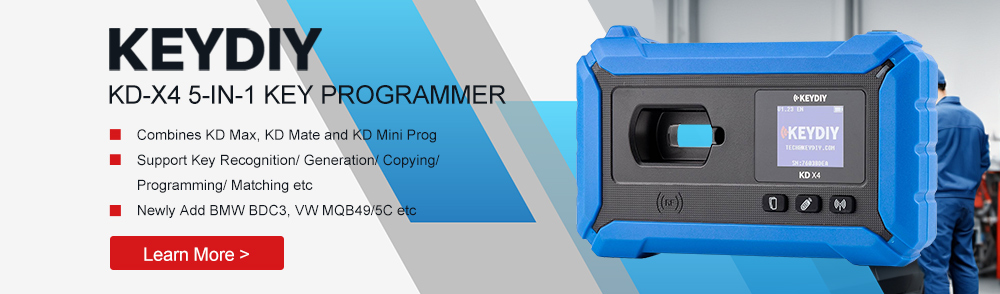
This guide applies to KEYDIY devices such as Keydiy KD-X4, KD-MAX, and other compatible models.
1. What Is Real Name Authentication and Why Is It Required?
Real name authentication is a mandatory verification process designed to improve account security and management.
The system uses your mobile phone number to identify your account and retrieve binding information. After logging in for the first time, you must complete this authentication before using the device functions normally.
This process helps:
- Protect your account security
- Ensure proper device binding
- Maintain system stability
2. How to Complete Real Name Authentication?
Follow these simple steps:
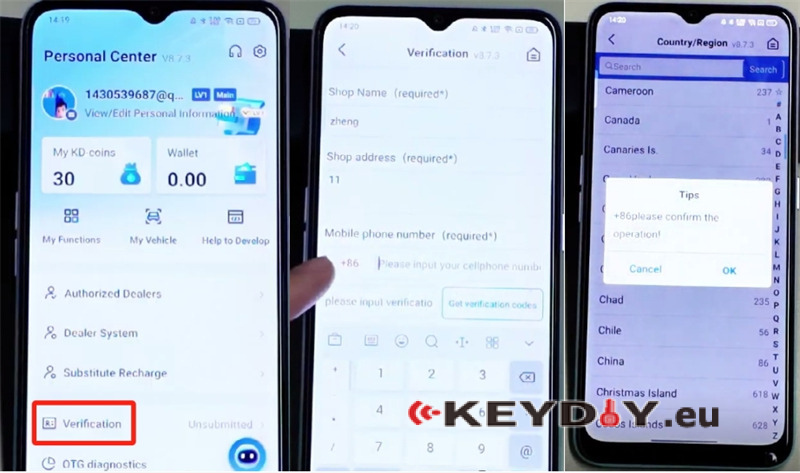
- Fill in the three required fields — you may enter any name or random text if necessary.
- Select your region (for example, China).
- Enter your mobile phone number.
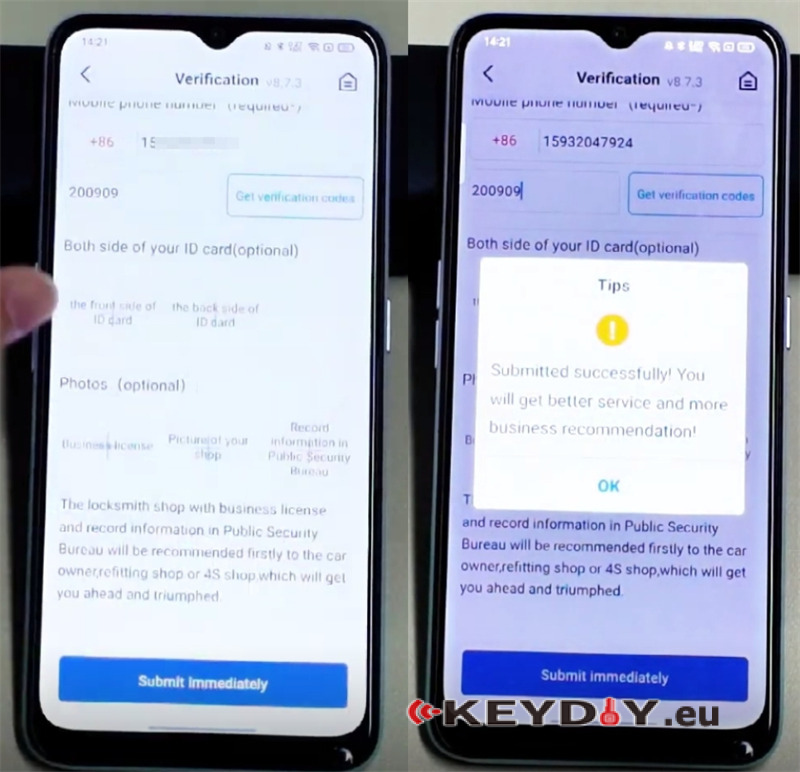
- If you do not receive a verification code, use the universal code: 200909.
- The optional field can be left blank.
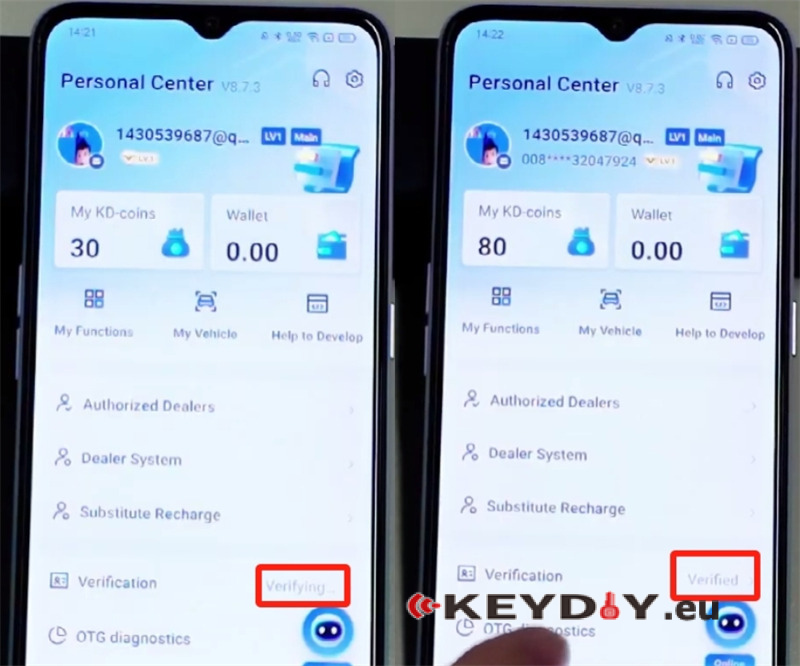
- Submit the form and wait 2–3 minutes for automatic backend approval.
Once successfully verified, you will receive 50 KD coins as a reward.
3. How to Obtain KEYDIY KD-Coins?
KD coins are system credits used to activate certain advanced functions.
Important notes:
- KD coins can only be earned by generating new keys using a KEYDIY device.
- KD coins cannot be purchased directly.
- There are no alternative ways to obtain KD coins outside normal device usage.
The more keys you generate, the more KD coins you accumulate.
4. How to Recharge Wallet Balance?
Currently:
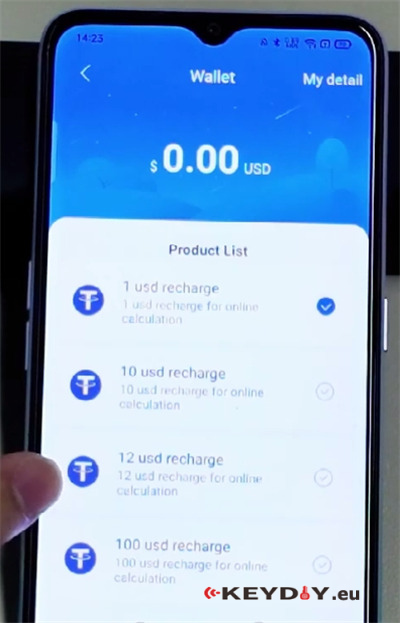
- Android users can recharge via their Google account.
- iPhone (iOS) users do not support wallet recharge at this time.
If you are using an iPhone and need balance, you may need assistance from someone using an Android device.
5. What If You Don’t Have Enough KD Coins or Dollars to Activate a Function?
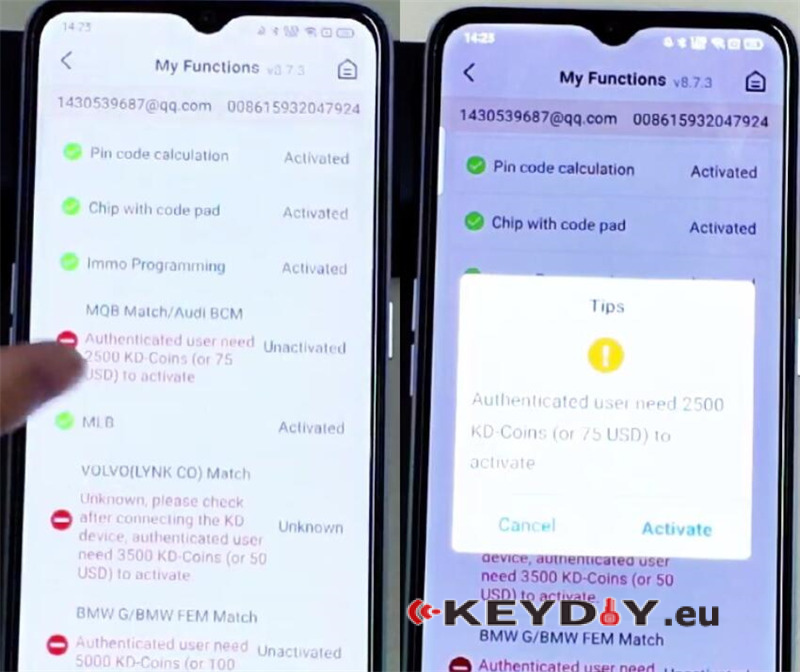
Some advanced functions (such as MQB or BMW) require payment, for example:
- 2500 KD coins
- or $75
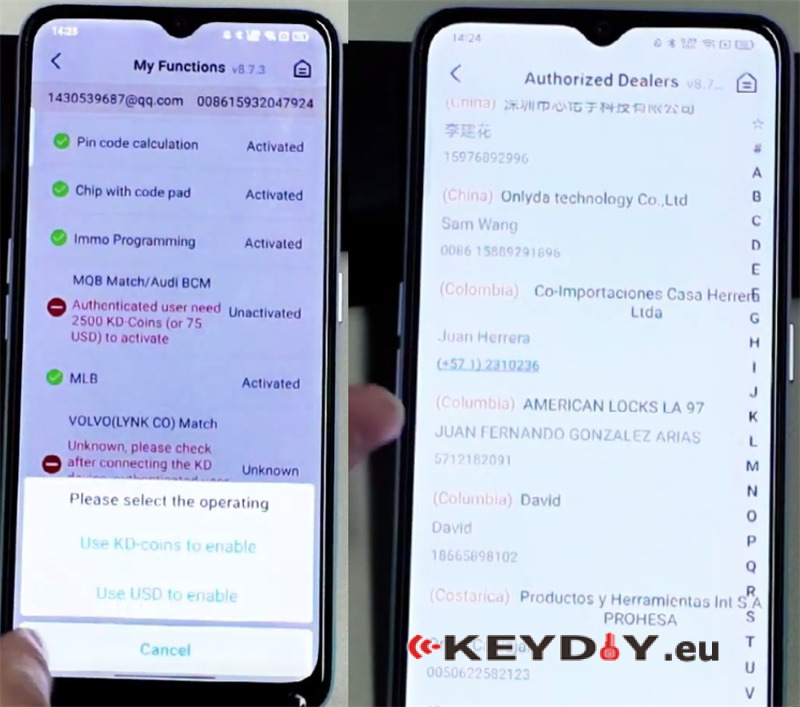
If you do not have enough balance, you can ask someone else to activate the function on your behalf. This could be:
- Your dealer
- A local locksmith
- A friend using the KEYDIY system
6. How Can Someone Activate a Function for You?
The helper needs to:
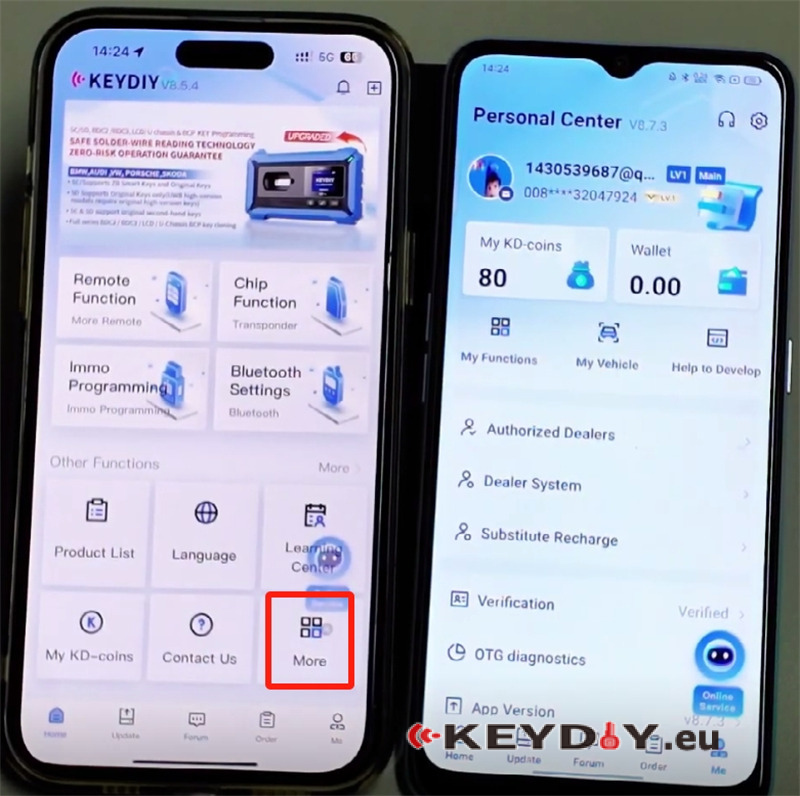
1.Open the KEYDIY app.
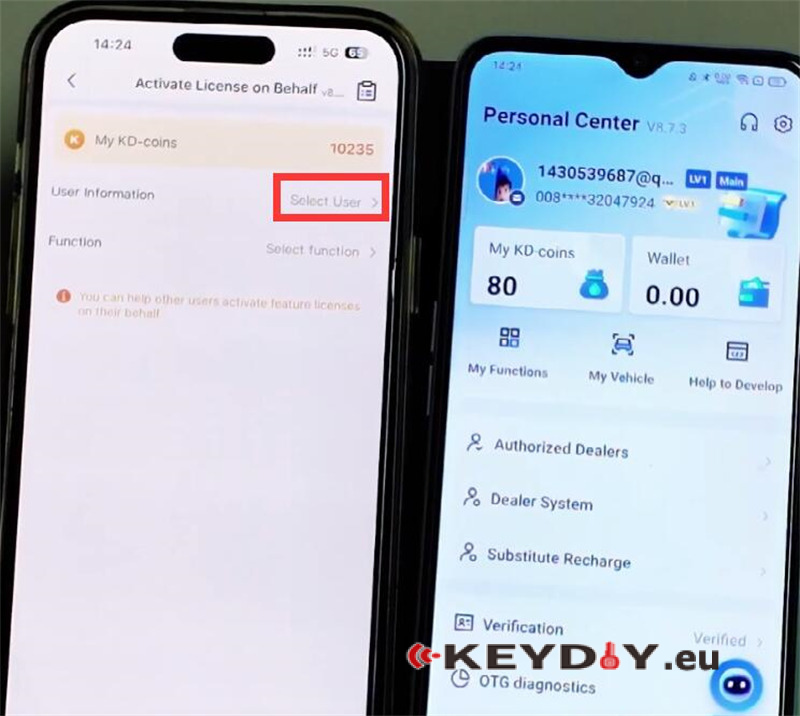
2.Go to More → Activate License on Behalf.
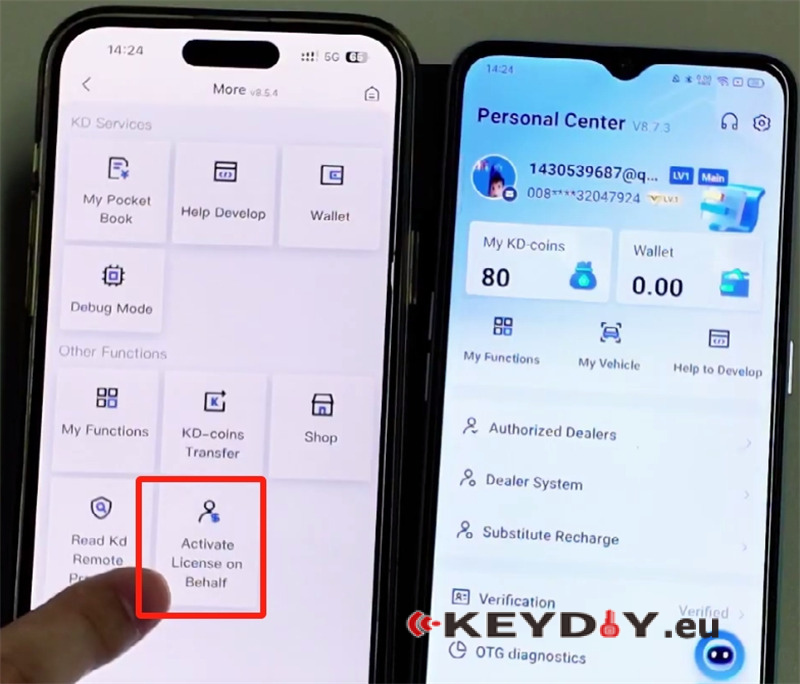
3.Click Select User.
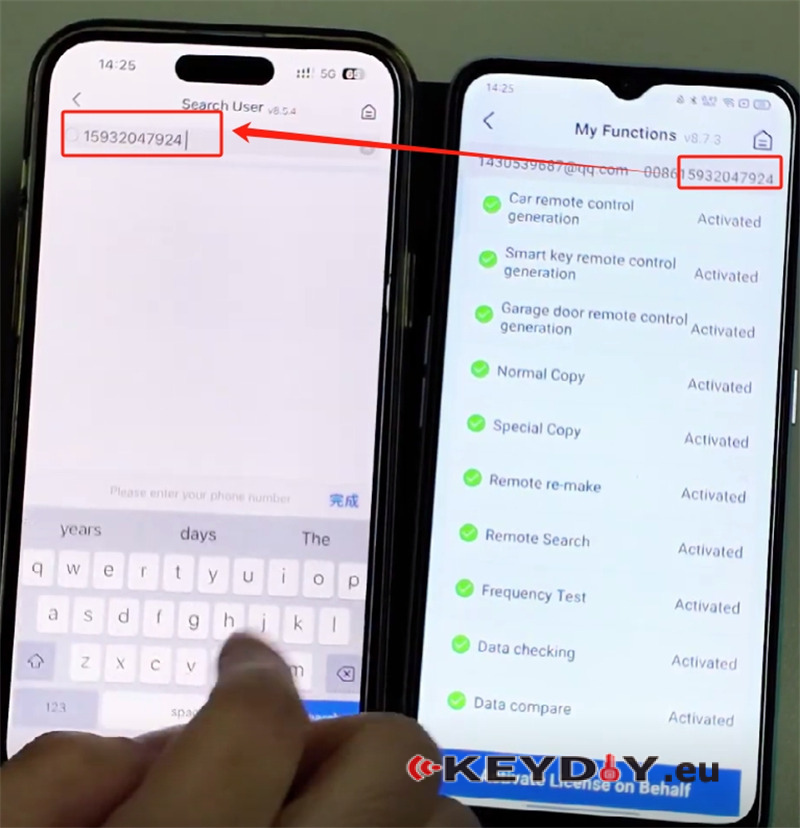
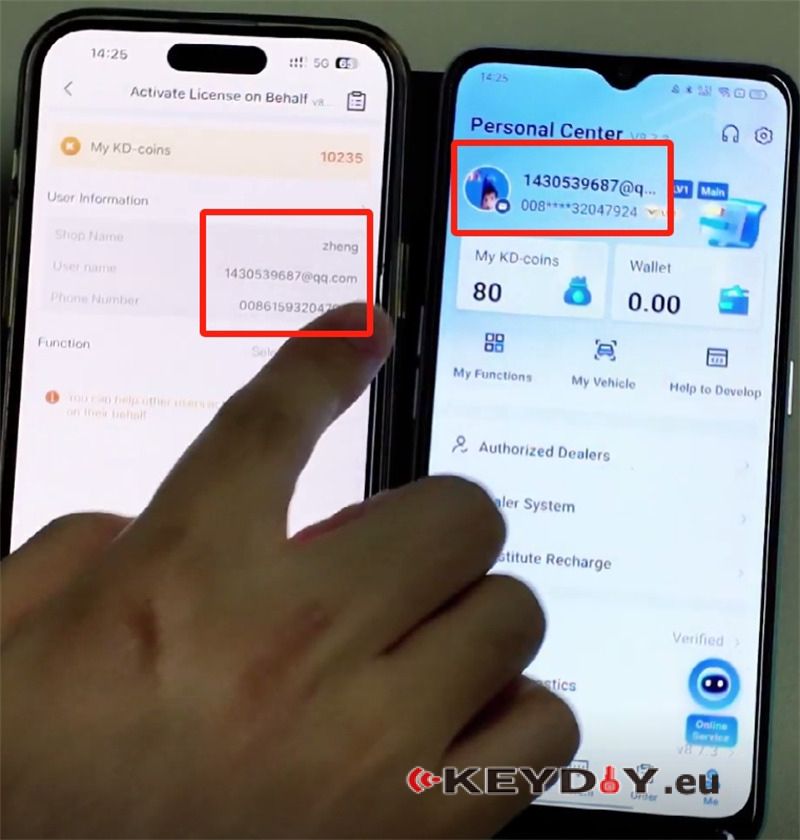
4. Enter your registered mobile phone number to locate your account.
5.Select the function(s) to activate (e.g., MQB, BMW).
6.Choose payment method (KD coins or dollars).
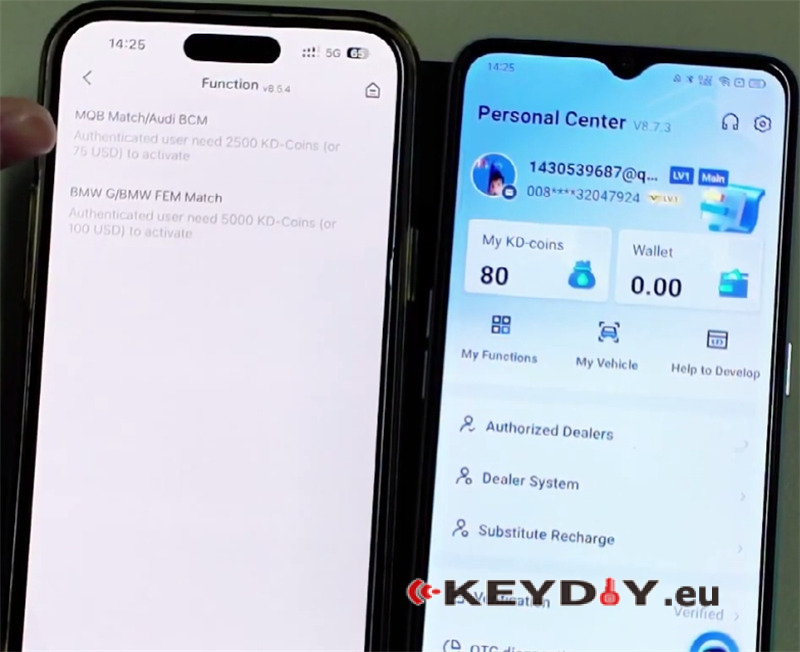
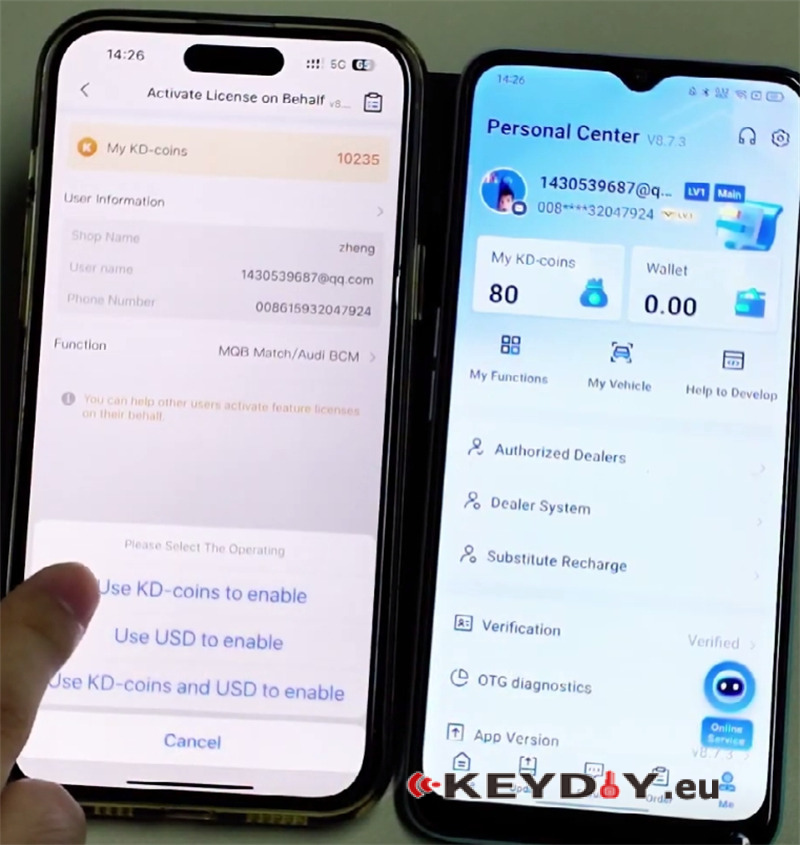
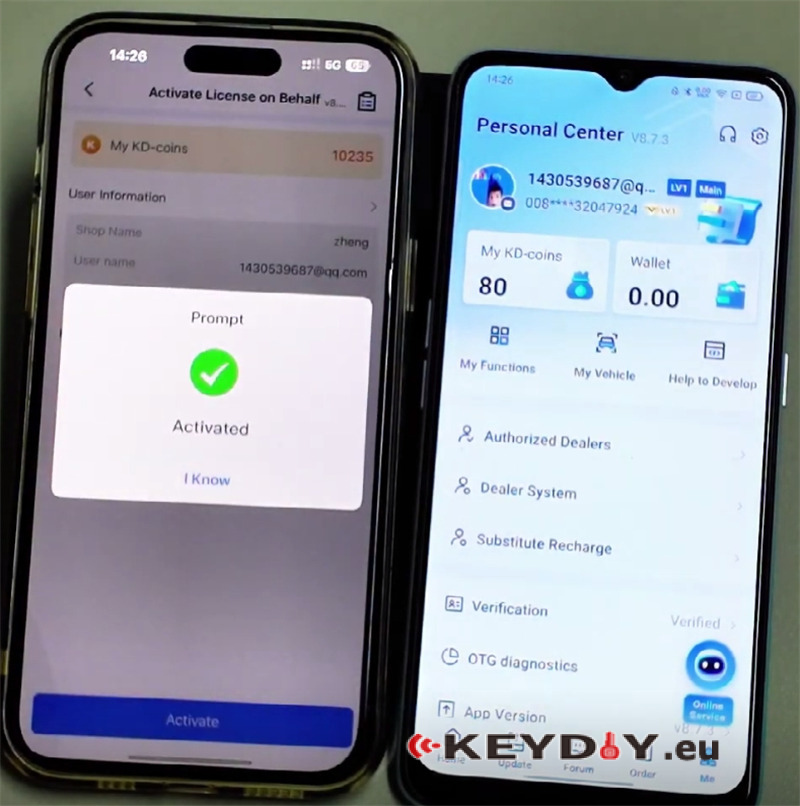
Complete the payment.
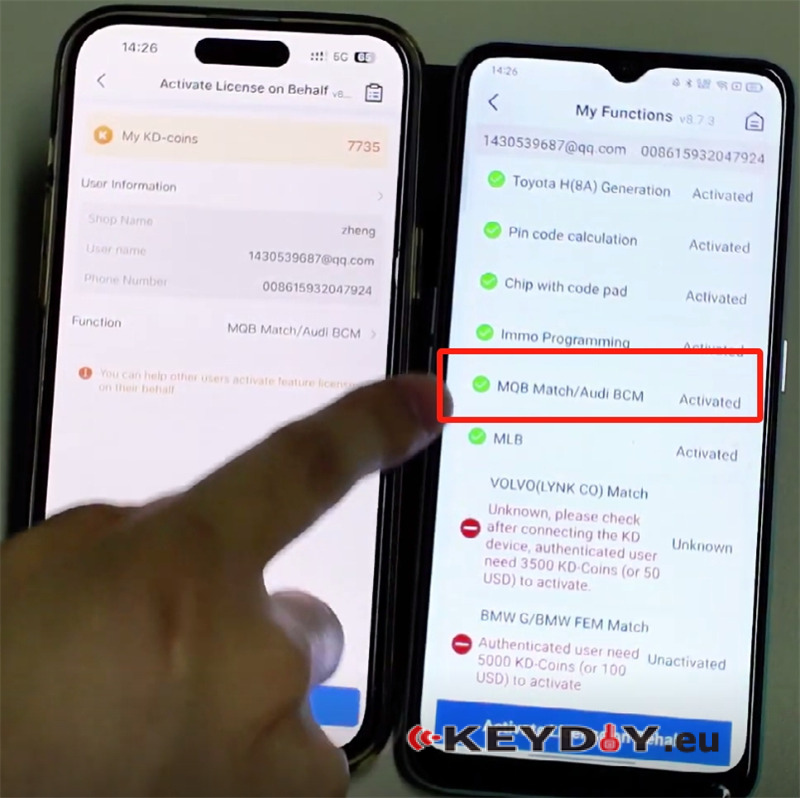
Once payment is successful, the selected function will be activated on your account immediately.
7. Can KD Coins Be Transferred Between Accounts?
Yes, KD coins can be transferred.
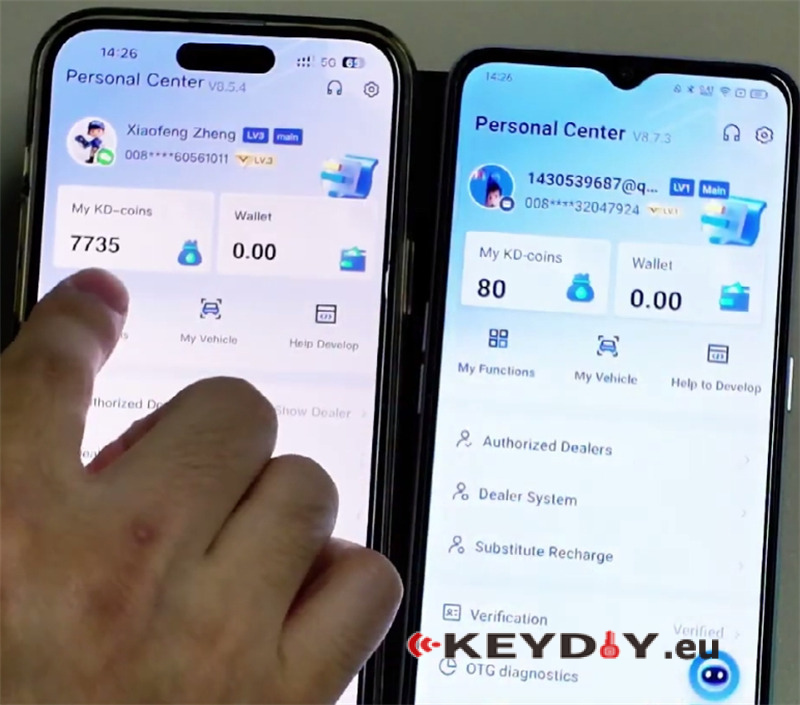
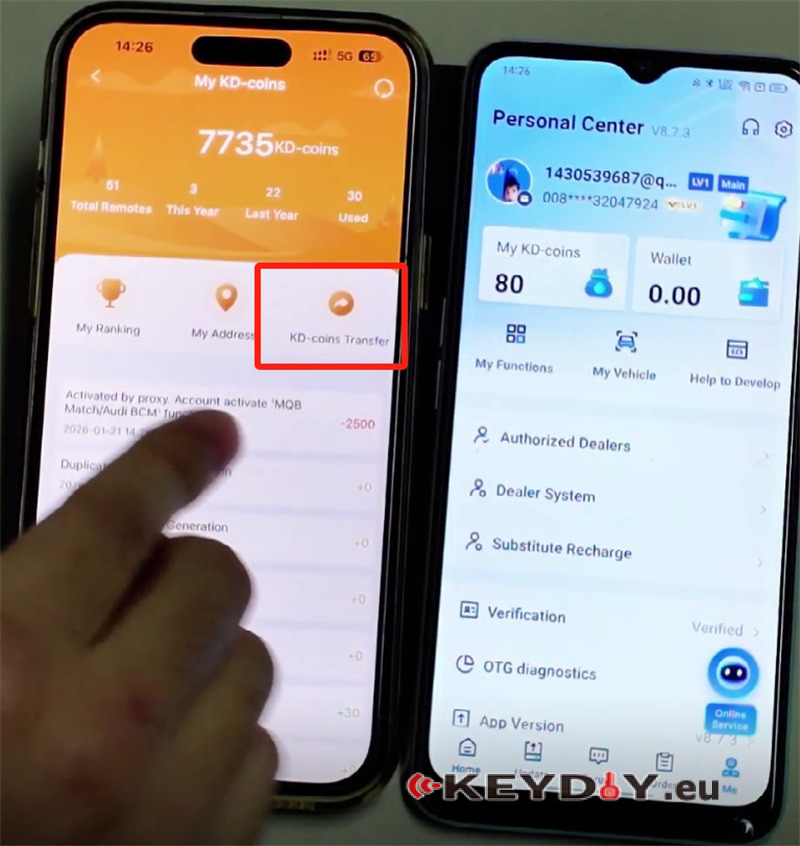
To transfer KD coins:
1.Go to My KD-coins → KD-coins Transfer.
2.Enter the recipient’s registered phone number.
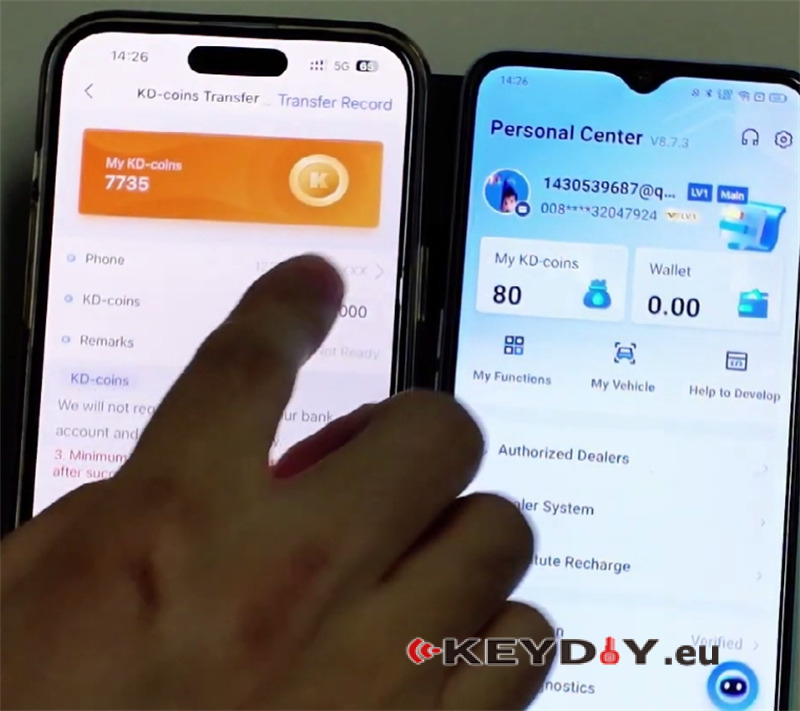
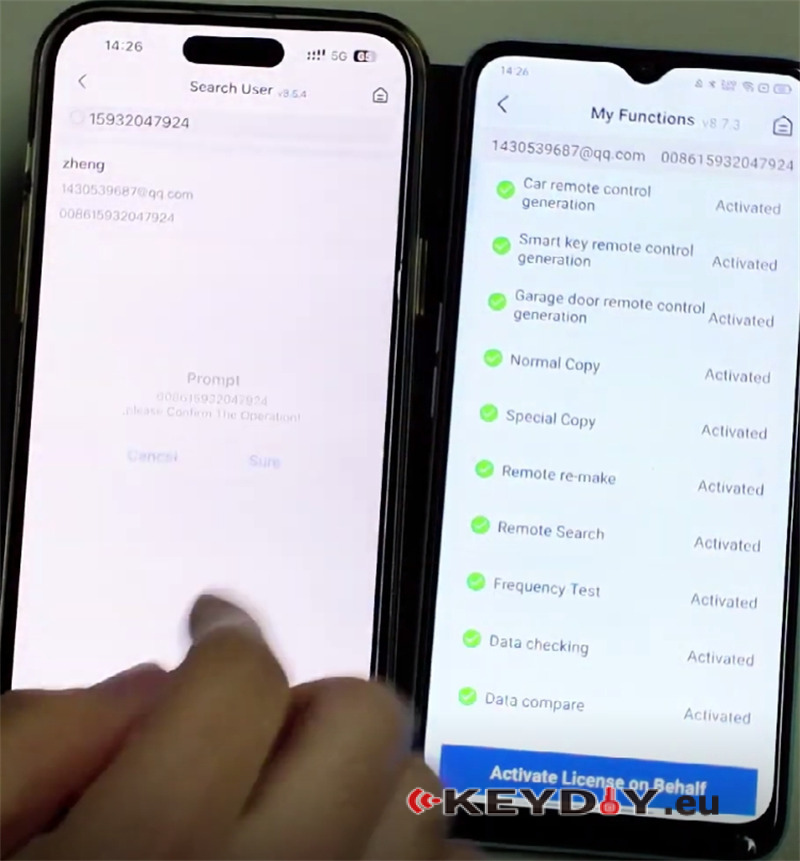
3.Specify the amount (for example, 100 KD coins).
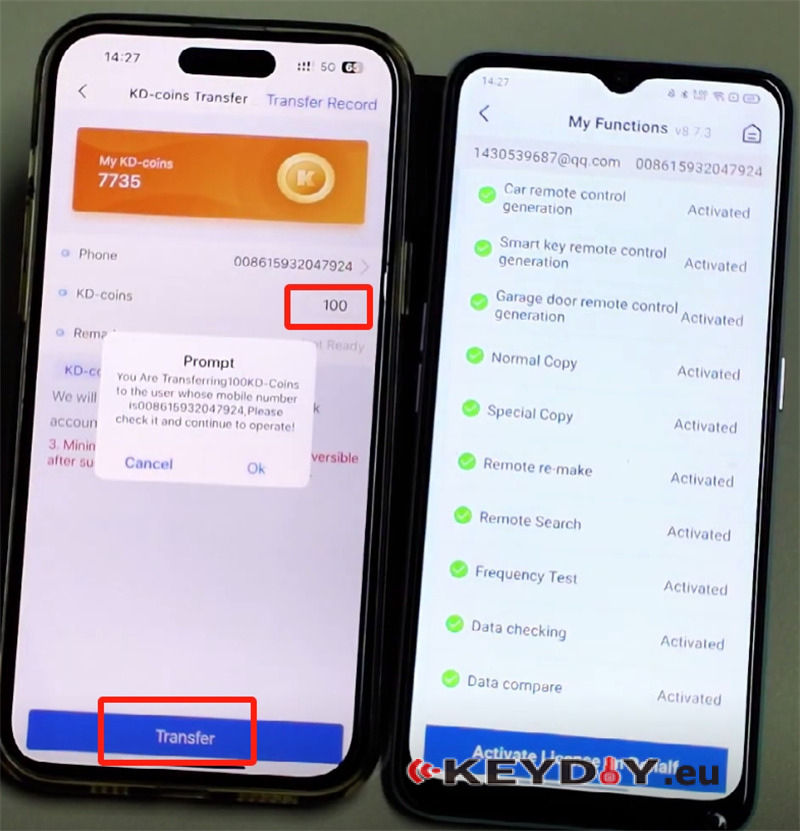
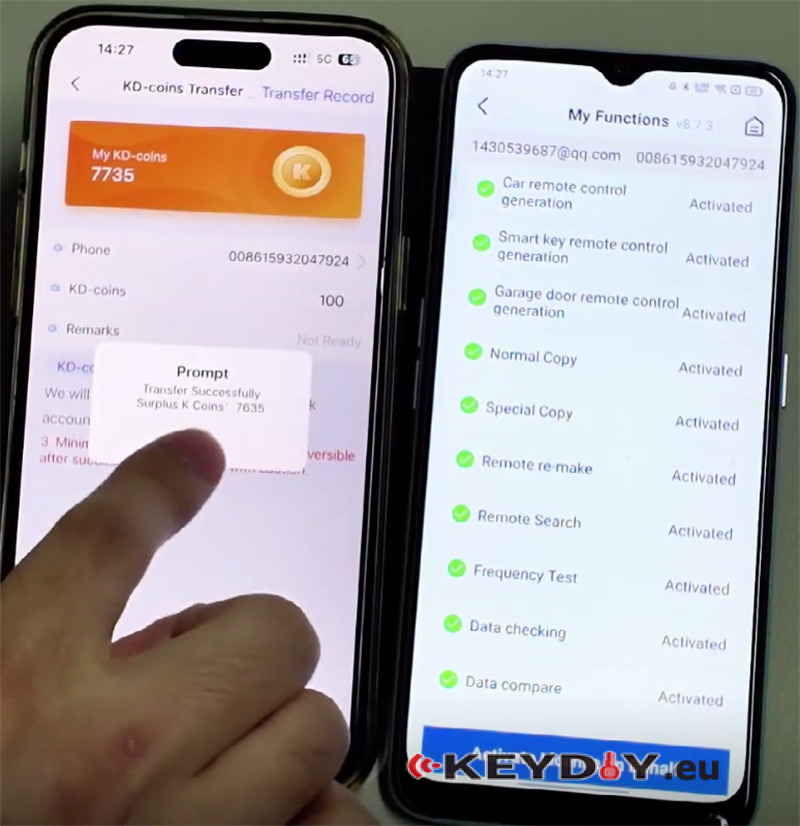
Click Transfer.
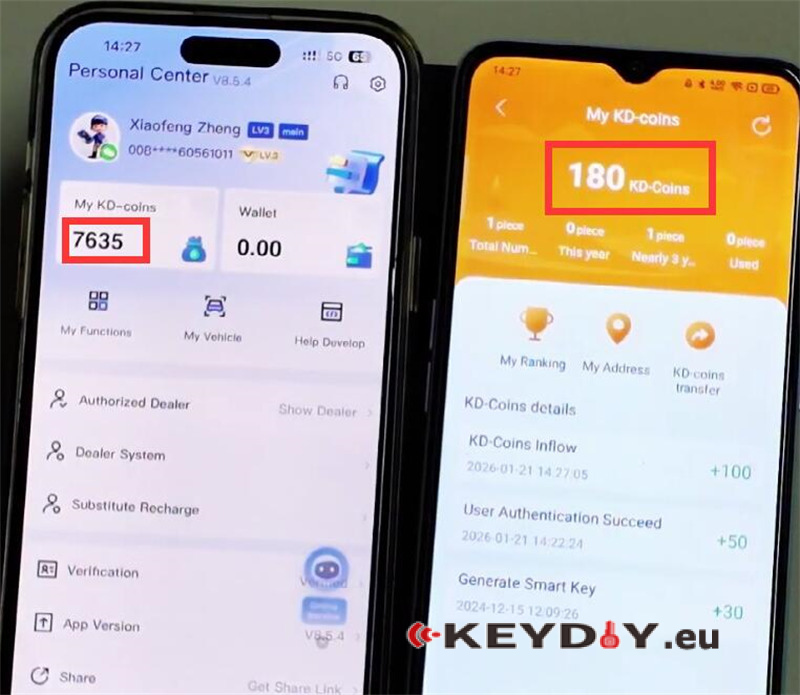
The coins will be deducted from your balance and credited to the recipient’s account.
Understanding KEYDIY real name authentication, KD coins, and function activation helps ensure smooth operation of your KD-X4, KD-MAX, and other KEYDIY devices.
Key points to remember:
- Real name authentication is mandatory.
- KD coins are earned through key generation only.
- Android supports wallet recharge; iOS does not.
- Functions can be activated by others on your behalf.
- KD coins can be transferred between accounts.
- Stay updated for more KEYDIY tips and technical guides.
